

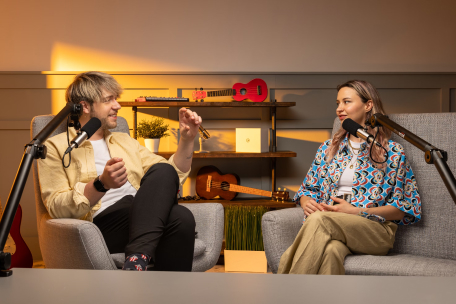
Elevate your podcasting with videos
Boost engagement and expand your audience by uploading, managing, and sharing captivating podcast videos on Disctopia.
Learn MoreUpload Your Podcast Video
Take control of your podcasting journey with our easy-to-use uploading and customization features, tailored to enhance your content's impact.
- Channel Handling: start fresh with a new channel or add videos seamlessly to an existing one for efficient content organization.
- Customization: select from existing thumbnails or upload a custom image for your podcast video.
- Exclusivity: decide whether your video will be exclusive to Disctopia, enhancing your reach and visibility.

Distribute Your Video
Effortlessly distribute your podcast videos, ensuring wide accessibility for your audience.
- RSS Feed: get automatically generated an RSS feed for widespread accessibility across platforms and devices.
- Youtube Submission: share your podcast video on YouTube to reach a wider audience and tap into YouTube's extensive user base.

Analyze Video Statistics
Access detailed analytics to grasp your audience and performance.
- Engagement Metrics: discover how users interact with your podcast video.
- Podcast Videos Performance: identify your most popular videos.
- Demographic Data: get insights into the age, gender, and geographical distribution of your audience.
- New vs. Returning Viewers: track viewer growth and retention.

Upload Your Podcast Video Now!
Start sharing your podcast content! Whether it's a new creation or a favorite episode, get started today and join our community of creators.
FAQs
Have questions? We have answers!
Lorem, ipsum dolor sit amet consectetur adipisicing elit. Pariatur odio deleniti est, sed saepe itaque quisquam asperiores, commodi, accusantium unde rem omnis. Distinctio fuga aliquam voluptate ipsa debitis obcaecati iste repellendus perferendis quia odio. Suscipit soluta rem numquam, alias asperiores repudiandae ratione deleniti unde distinctio. Amet nostrum maxime unde explicabo?
- Click on the app and follow the prompts to sign in to your YouTube account and authorize the connection.
- Once connected, you can submit your podcast videos directly to your YouTube channel from Disctopia.
To connect your YouTube account to Disctopia, follow these steps:
- Log in to your Disctopia account.
- Navigate to the Apps page.
- Look for the "YouTube" app.
- Click on the app and follow the prompts to sign in to your YouTube account and authorize the connection.
- Once connected, you can submit your podcast videos directly to your YouTube channel from Disctopia.
Lorem ipsum dolor sit amet consectetur, adipisicing elit. Laudantium quasi vel cupiditate voluptate quis repellendus ea officia eos sed ducimus, necessitatibus doloremque, exercitationem nam iure itaque, numquam molestiae sint suscipit. Aspernatur esse quasi porro pariatur at, consequatur laborum labore illum numquam nesciunt iusto alias? Expedita saepe reiciendis vel recusandae unde.
- Navigate to the Apps page.
- Look for the "YouTube" app.